Canva என்றால் என்ன?
Canva என்பது ஒரு online design platform.
Design experience இல்லாதவர்களுக்கும் கூட professional design உருவாக்க உதவும் ஒரு எளிய tool.
Poster, logo, YouTube thumbnail, Instagram post, resume, presentation, video – எல்லாமே drag and drop முறையில் செய்யலாம்.
👉 Computer
👉 Mobile
👉 Tablet
எல்லா device-லயும் பயன்படுத்தலாம்.

Canva Tamil ஏன் முக்கியம்?
தமிழ் பேசும் பல பேருக்கு English software-கள் சிக்கலாக இருக்கும்.
Canva-வில்:
- Simple interface
- Visual icons
- Ready-made templates
இவை எல்லாம் இருப்பதால் language barrier இல்லாம use பண்ண முடியும்.
Canva Tamil-ஆ புரிந்து use பண்ணினா:
- Students
- Teachers
- YouTubers
- Small business owners
- Bloggers
- Freelancers
எல்லாருக்கும் பயனுள்ள tool.
Canva-வில் என்னென்ன Design செய்யலாம்?
Canva ஒரு “all-in-one design tool”.
🎨 Graphic Designs
- Posters
- Flyers
- Banners
- Visiting cards
- Certificates
📱 Social Media Designs
- Instagram post & reel cover
- Facebook post
- WhatsApp status
- Pinterest pin
🎥 Video Designs
- YouTube intro
- Short videos
- Reels
- Presentation video
📊 Office & Study Designs
- Resume
- Presentation (PPT)
- Report
- Notes
- Worksheets
Canva account எப்படி create பண்ணுவது?
Canva use பண்ண:
- Account create பண்ணணும்
- Email / Google login போதும்
- Login ஆனதும் dashboard open ஆகும்
Dashboard-ல:
- Search bar
- Templates
- Recent designs
- Create new design button
எல்லாம் clear-ஆ இருக்கும்.
Canva Templates என்றால் என்ன?
Template என்பது ready-made design.
உங்களுக்கு:
- Size
- Font
- Color
- Layout
எல்லாம் already set-ஆ இருக்கும்.
நீங்க செய்ய வேண்டியது:
- Text change
- Image replace
- Color adjust
அவ்வளவுதான்.
Canva Tamil-ல Templates use பண்ணுவது எப்படி?
Template-ஐ open பண்ணியதும்:
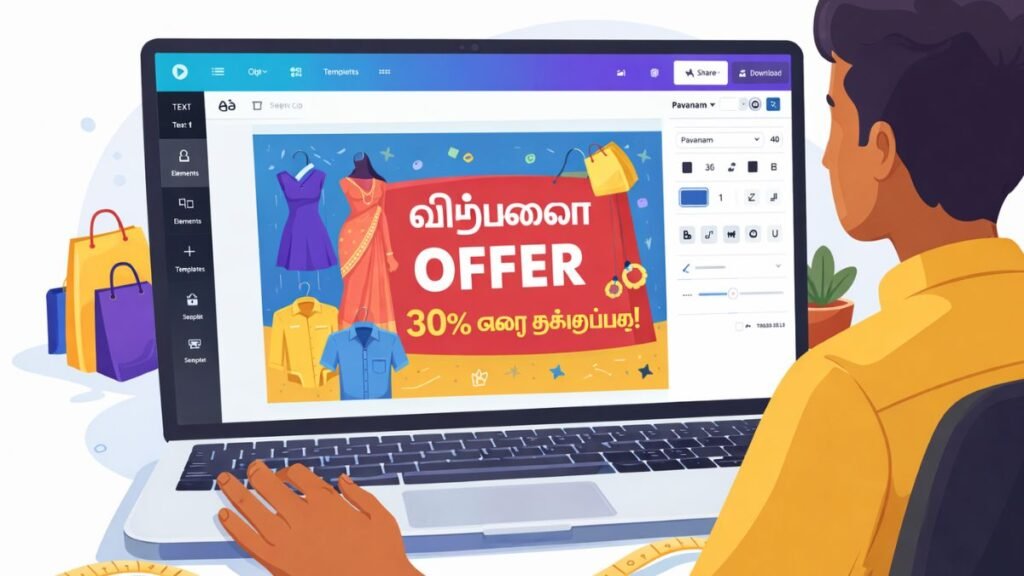
- Text box-ஐ click பண்ணி தமிழ் type பண்ணலாம்
- Tamil font select பண்ணலாம்
- Size increase / decrease செய்யலாம்
👉 Canva Tamil typing-க்கு எந்த special software-ம் தேவையில்லை.
Canva-வில் Tamil Font Support இருக்கா?
ஆமாம் 👍
Canva-வில்:
- Multiple Tamil fonts
- Clean readable style
- Bold & heading fonts
இருக்கு.
Tamil content create பண்ண bloggers-க்கும் YouTubers-க்கும் இது ரொம்ப helpful.
Canva Free vs Pro – என்ன difference?
Canva Free
- Thousands of free templates
- Basic fonts & images
- Normal download options
Canva Pro
- Premium templates
- Background remover
- Brand kit
- Resize design option
- More stock photos & videos
Beginner-க்கு free version போதும்.
Professional-ஆ use பண்ணுறவர்களுக்கு Pro helpful.
Canva Tamil – Students-க்கு எப்படி பயன்?
Students Canva use பண்ணினா:
- Project cover page
- PPT presentation
- Notes design
- Resume
எல்லாம் neat-ஆ create பண்ண முடியும்.
Exam presentation-க்கும் Canva designs நல்ல impression கொடுக்கும்.
Canva Tamil – Teachers-க்கு எப்படி பயன்?
Teachers Canva use பண்ணினா:
- Worksheets
- Online class slides
- Posters
- Certificates
எல்லாமே quick-ஆ create பண்ணலாம்.
Teaching content visually attractive ஆகும்.
Canva Tamil – Business owners-க்கு பயன்பாடு
Small business owners Canva use பண்ணினா:
- Product poster
- Offer banner
- Visiting card
- Logo
Designer hire பண்ணாமலே professional look கிடைக்கும்.
Time + money save.
Canva-வில் Video Editing எப்படி?
Canva simple video editor-ஆவும் work ஆகும்.
- Text animation
- Image + music
- Short clips
- Reels
YouTube beginners-க்கு Canva Tamil video editing easy-ஆ இருக்கும்.
Canva-வில் Design Download Options
Design complete ஆனதும்:
- PNG
- JPG
- MP4
format-ல download பண்ணலாம்.
Print use-க்கும் digital use-க்கும் suitable.
Canva Tamil – Bloggers-க்கு எப்படி helpful?
Bloggers Canva use பண்ணினா:
- Featured image
- Pinterest image
- Infographic
- Blog banner
SEO-friendly images easy-ஆ create பண்ணலாம்.
Canva Tamil Tips (Beginner-க்கு)
- Simple template select பண்ணுங்க
- Too many colors avoid பண்ணுங்க
- Clear font use பண்ணுங்க
- White space maintain பண்ணுங்க
- One design = one message
Canva Mobile App – Tamil users-க்கு வசதி
Canva mobile app-ல:
- Same features
- Easy touch editing
- Anywhere design
Mobile-லயே full design work possible.
Canva Tamil – Global Audience-க்கு எப்படி useful?
Canva worldwide users-க்கு common tool.
Tamil content create பண்ணி:
- Global Tamil audience
- Overseas creators
- International viewers
எல்லாரையும் reach பண்ணலாம்.